
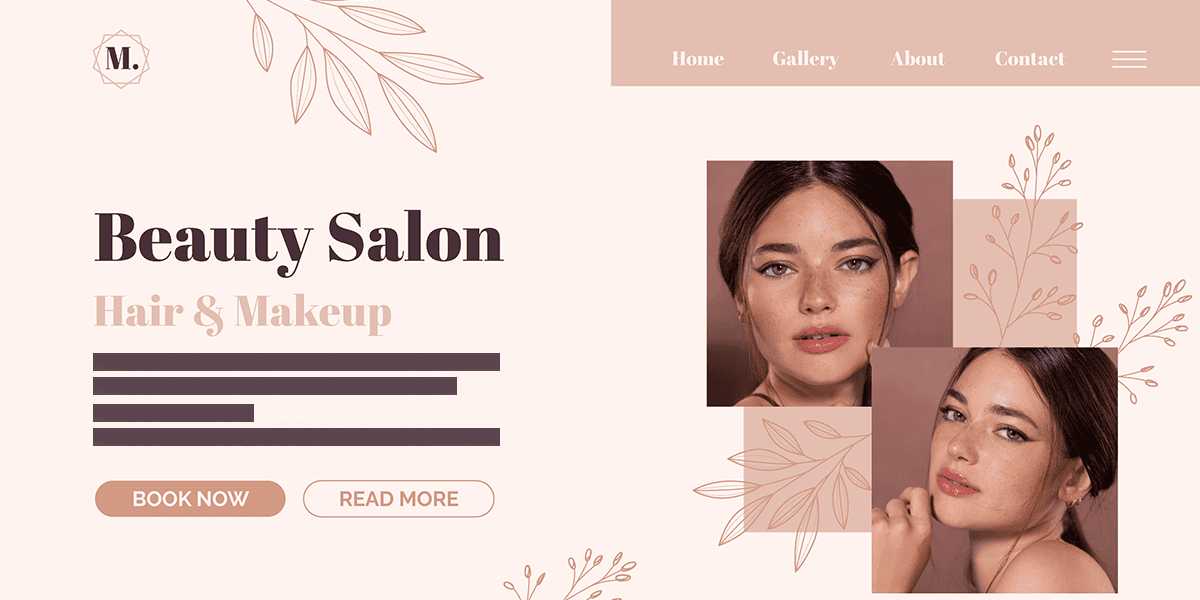
How Websites Transform Beauty Salon Success
In today’s beauty industry, your online presence directly impacts your bottom line. Understanding how clients discover and choose salons in the digital landscape reveals why a professional website is no longer optional but essential.
Statistics on How Clients Find Beauty Salons Online
The data tells a compelling story about modern beauty consumers. Over 70% of potential clients research salons online before booking their first appointment, with 83% visiting a salon’s website design during their decision-making process. Mobile searches for “hair salon near me” have increased by 130% in the past two years alone, highlighting the shift toward immediate, location-based discovery.
Most revealing is that while 45% of clients initially discover salons through social media platforms, 67% will then seek out the salon’s official website before making a booking decision. This crucial step in the customer journey shows that while social media creates awareness, websites build the trust that converts browsers into paying clients.
Impact of Websites on Booking Rates
Beauty salons with optimized, professional websites experience booking rates 24% higher than those relying solely on social media or directory listings. The numbers become even more striking when examining online booking capabilities—salons offering seamless online scheduling see 37% more appointments booked during non-business hours and a 28% reduction in no-shows compared to phone-only booking systems.
The financial impact is equally significant. Beauty businesses with professional websites report an average 31% higher client lifetime value, as website visitors are more likely to book premium services and become repeat customers. For new salons, a professional website can reduce the time to profitability by up to 40% compared to those without a dedicated online presence.
Difference Between Social Media Presence and Website Authority
While social media platforms provide valuable visibility, they fundamentally differ from websites in establishing business authority. Social media excels at showcasing personality and building community but falls short in conveying comprehensive business information and professional credibility.
Websites offer complete control over your brand narrative and client experience—something impossible on algorithm-driven platforms where your content competes with countless distractions. A professional website signals stability and commitment to potential clients, with 78% of beauty consumers reporting they trust businesses with dedicated websites more than those with only social media profiles.
Furthermore, websites provide crucial advantages in content ownership and stability. Social platforms can change policies, algorithms, or even disappear entirely, potentially erasing years of content and customer connections. Your website remains your permanent digital home, immune to platform volatility.
Competitive Advantage in Local Markets
In saturated local beauty markets, a strategic website creates significant competitive differentiation. Beauty salons with optimized websites appear in 92% more local search results than those without, dramatically increasing visibility to potential clients actively searching for services.
This visibility translates directly to market position where salons are ranking in the top three Google search results for local beauty queries capture 61% of all clicks, with the first position alone claiming 33%. For specialty services like balayage, bridal styling, or natural hair care, websites optimized for these specific keywords can establish market dominance in lucrative niche segments.
Perhaps most importantly, websites enable beauty professionals to expand beyond geographic limitations. While walk-in traffic remains constrained by physical location, an optimized website allows salons to attract clients from surrounding areas willing to travel for exceptional service, effectively expanding your market reach without additional overhead costs.
Choosing Budget-Friendly Website Platforms for Your Beauty Salon
Creating a stunning beauty salon website doesn’t require breaking the bank. Today’s website building platforms offer affordable solutions specifically designed for salon owners who want a professional online presence without the hefty price tag or technical headaches.
Comparison of Free and Low-Cost Platforms
Square Appointments provides a subscription-free plan for individual beauty professionals that integrates booking functionality directly into your website. While primarily known for payment processing, their website builder comes with the added benefit of a built-in appointment system, inventory management, and client communications.
Wix offers more customization options with plans starting around $16/month. Their editor provides extensive design flexibility, and they’ve recently introduced advanced AI website building capabilities that can create a complete salon website based on your answers to a few simple questions about your business.
GoDaddy delivers simplicity with plans beginning at approximately $10/month. Their Website Builder is renowned for its ease of use and quick setup, making it ideal for salon owners who need to launch quickly without a learning curve.
Features That Matter for Salons
When selecting a platform, prioritize these salon-specific features:
- Appointment booking integration: Look for platforms that either include booking functionality or seamlessly integrate with popular salon scheduling systems like Vagaro, Booksy, or GlossGenius
- Service menu display capabilities: Your platform should allow for attractive, easily updated service menus with clear pricing
- Photo galleries: High-quality before/after galleries are essential for showcasing your stylists’ work
- Mobile responsiveness: Since most clients will book on mobile devices, ensure your site looks perfect on smartphones
- Contact form functionality: Make it easy for potential clients to reach you with questions
AI Website Builders vs Templates
AI website builders represent the newest innovation in website creation. Platforms like Wix and GoDaddy now offer AI tools that can:
- Generate complete websites based on your salon’s information
- Suggest appropriate color schemes that match your branding
- Create professional content based on your services
- Recommend layouts optimized for client conversion
These AI-powered solutions can save significant time and eliminate design guesswork, often producing surprisingly sophisticated results with minimal input.
Templates, on the other hand, provide proven structures that you can customize. Benefits include:
- Professionally designed layouts specifically for beauty businesses
- Consistent navigation that clients find intuitive
- Mobile-optimized structures that work across devices
- Time-saving starting points that prevent “blank page syndrome”
For most salon owners, a template-based approach with some AI assistance offers the ideal balance between personalization and efficiency.
Bundled Services to Look For
To maximize value and minimize hidden costs, prioritize platforms that bundle these essential services:
- Domain connection: The ability to use your own professional domain name (yourbeautysalon.com)
- SSL security: Built-in encryption that displays the padlock icon in browsers, building client trust
- SEO tools: Basic search engine optimization features to help clients find you
- Analytics: Data on visitor behavior to understand what’s working
- Email marketing integration: Tools to stay connected with clients between appointments
- Social media integration: Easy connection to your Instagram and other platforms where you showcase your work
By selecting a platform that includes these bundled services, you’ll avoid the surprise expenses that often come with building a website, keeping your total cost predictable and affordable while still creating a site that effectively attracts and converts new salon clients.
Managing Website Costs: Essential Expenses for Your Beauty Salon Online Presence
Creating an attractive beauty salon website doesn’t have to break the bank, but understanding the core costs involved helps you budget effectively and avoid surprises. Beyond the initial setup, several ongoing expenses require attention to maintain a professional, secure online presence.
Domain Name Costs
Your domain name is your digital address and a crucial part of your brand identity. Most beauty salons benefit from a domain that includes their business name (e.g., glamourhairsalon.com).
- Initial registration: Typically $10-120 for the first year
- Annual renewal: $10-120 per year depending on the domain extension
- Premium domains: Some catchy, short, or highly desirable domains may cost significantly more
- Domain privacy protection: An optional add-on ($5-15/year) that keeps your personal information hidden from public WHOIS databases
Choose a memorable, easy-to-spell domain that reflects your salon’s identity. While .com domains remain the gold standard, extensions like .salon, .beauty, or .style can work well if your preferred .com is unavailable.
Hosting Requirements
Website hosting provides the server space where your website lives. For beauty salon websites, reliability and page loading speed are essential considerations.
- Shared hosting: $3-20/month (sufficient for most small salon websites)
- Managed WordPress hosting: $10-30/month (if using WordPress)
- VPS or dedicated hosting: $30-100+/month (rarely necessary for salon websites)
When selecting hosting, prioritize:
- Uptime guarantees (99.9% or better)
- Adequate storage for your photos and videos
- Fast loading times (affects both user experience and SEO)
- Quality customer support (ideally 24/7)
- Easy backup solutions
SSL Certificates
SSL certificates create secure connections between your website and visitors, displaying the padlock icon in browsers and enabling HTTPS. They’re no longer optional, they’re essential.
- Free SSL certificates: Many hosting providers offer free basic SSL certificates through Let’s Encrypt
- Paid SSL certificates: $30-300/year for premium options with extended validation
- Wildcard SSL certificates: $150-600/year (only needed for multiple subdomains)
For most salon websites, a free or basic SSL certificate provides adequate security. This protects client information, especially if you collect contact details through forms or offer online booking.
Maintenance Expenses
Ongoing maintenance ensures your website remains secure, functional, and up-to-date.
- Content updates: Time cost or $20-50/hour if outsourced
- Software updates: Free to $100/year depending on your platform
- Technical maintenance: $20-50/month for managed services
- Backup solutions: $3-10/month for automated backups
- Security monitoring: $5-20/month for basic protection
Regular maintenance prevents costly emergency fixes later. Schedule monthly checks to update content, verify all links and booking systems work correctly, and ensure your site remains secure.
Hidden Costs to Avoid
Many salon owners encounter unexpected expenses that weren’t in their initial budget:
- Plugin/extension subscriptions: Premium plugins often charge annual fees ($20-200/year)
- Image licensing: Stock photos can cost $10-50 each if not included in your platform
- Custom coding: Small modifications can cost $50-200 per change
- Redesign costs: Outdated templates may require complete overhauls every 3-5 years
- Bandwidth overages: If your site suddenly receives high traffic
- Recovery costs: Rebuilding after hacks or data loss can be expensive without proper backups
Read all terms carefully before committing to a platform, and budget for both predictable and potential expenses.
Smart Ways to Save Without Compromising Quality
Creating an affordable salon website doesn’t mean cutting corners on professionalism:
- Start with all-in-one platforms: Website builders like Wix, Squarespace, or salon-specific platforms bundle hosting, domains, and templates
- Use included templates: Customize pre-made templates rather than building from scratch
- Optimize your own photos: Learn basic photo editing to avoid stock image costs
- Prioritize mobile optimization: Focus resources on mobile experience where most clients will view your site
- Implement a content schedule: Regular DIY updates keep your site fresh without ongoing developer costs
- Choose annual payment plans: Most providers offer significant discounts (15-30%) for annual versus monthly payments
- Start simple and expand: Launch with essential pages first, then add features as your budget allows
Remember that investing in quality hosting and security from the beginning prevents costly problems later. The most affordable approach balances upfront savings with long-term reliability.
Creating a Stunning Visual Experience That Converts
Beauty salon websites must captivate visitors instantly while guiding them effortlessly toward booking. A well-designed website serves as your digital storefront, creating that crucial first impression that can make or break a potential client relationship.
Mobile-First Design: The Non-Negotiable Foundation
The beauty industry thrives on visual appeal and convenience, both must translate to mobile devices where most clients will discover you. Mobile users account for over 60% of beauty service searches, making mobile optimization your top priority.
Start by designing for the smallest screen first, then scale up to larger displays. This approach ensures critical elements like booking buttons, service menus, and contact information remain accessible regardless of device. Key mobile-first principles include:
- Touch-friendly navigation with buttons at least 44×44 pixels
- Single-column layouts that eliminate horizontal scrolling
- Simplified menus using hamburger icons to preserve screen space
- Thumb-zone optimization, placing important elements where thumbs naturally rest
Test your design on multiple devices and screen sizes before launch. A responsive design automatically adjusts to fit any screen, preventing the frustration of pinching, zooming, or squinting that drives potential clients away.
Speed: The Silent Conversion Killer
Beauty professionals often underestimate how dramatically page speed impacts both user experience and search rankings. When a site takes more than three seconds to load, 53% of mobile visitors abandon it entirely.
Implement these speed optimization techniques:
- Compress all images using tools like TinyPNG without sacrificing quality
- Enable browser caching to store frequently accessed resources
- Minimize HTTP requests by combining CSS and JavaScript files
- Utilize lazy loading so images appear only as users scroll down
- Choose a hosting provider with servers in your target market’s region
Google’s PageSpeed Insights tool provides a free performance analysis with actionable recommendations. Remember that each second shaved from loading time can increase conversion rates by up to 7%.
Visual Hierarchy: Guiding Eyes to the Booking Button
The primary goal of your beauty salon website is generating appointments. Design your visual hierarchy to naturally draw attention to booking opportunities through:
- Strategic use of white space to isolate and emphasize booking CTAs
- Contrasting colors for booking buttons that stand out from your background
- Consistent placement of booking options in the top-right corner and throughout content
- Subtle animation or hover effects that activate when users interact with booking elements
- F-pattern design that places key conversion elements where eyes naturally travel
Your booking button should appear “above the fold” (visible without scrolling) on every page, creating a persistent opportunity to convert interest into action.
Color Psychology: Emotional Connections That Drive Bookings
Colors evoke specific emotions and associations that can powerfully influence potential clients. For beauty salons, strategic color choices include:
- Pink: Conveys femininity, nurturing, and self-care
- Purple: Suggests luxury, creativity, and transformation
- Blue: Evokes cleanliness, trust, and professionalism
- Black: Communicates sophistication, exclusivity, and premium services
- White: Creates impressions of cleanliness, simplicity, and space
Limit your palette to 2-3 primary colors plus accent colors to maintain visual cohesion. The 60-30-10 rule works well: 60% dominant color, 30% secondary color, and 10% accent color for CTAs and highlights.
User Experience Best Practices That Retain Visitors
Beyond aesthetics, your salon website must provide an intuitive, frictionless experience that builds trust and encourages bookings:
- Implement breadcrumb navigation so visitors always know their location
- Ensure text has sufficient contrast against backgrounds (WCAG AA compliance)
- Create logical information architecture with services grouped by category
- Use descriptive button text rather than generic phrases like “Click Here”
- Include microinteractions (subtle animations) that provide feedback when users take action
- Maintain consistent navigation patterns across all pages
Remember that every additional click required to book an appointment reduces conversion probability by approximately 10%. Streamline the booking process to require the minimum possible steps, ideally no more than three clicks from any page to completed reservation.
Creating a Visually Stunning Salon Website: Photography, Branding, and Visual Elements
Your salon website serves as a digital storefront, and its visual appeal directly influences potential clients’ perception of your services. Creating a visually cohesive and professional presentation requires attention to several key elements.
Professional Photography Tips
High-quality photography is non-negotiable for a successful salon website. Rather than relying on stock photos or amateur snapshots, invest in professional photography that showcases your actual space and work.
When planning a photography session for your salon:
- Schedule photography during natural daylight hours when possible
- Ensure the salon is immaculately clean and staged
- Capture both wide shots of your space and detailed shots of styling stations
- Include photos of stylists working with clients (with permission)
- Shoot products and tools arranged aesthetically
- Consider lifestyle shots that convey the feeling clients experience
For service-specific photos, maintain consistent lighting, angles, and backgrounds to create a cohesive look across your portfolio. Remember that potential clients will judge your skill level based on these images, so they must represent your best work.
Before/After Gallery Best Practices
A before/after gallery is perhaps the most powerful conversion tool on your website. To maximize its impact:
- Present pairs of images at identical angles and lighting conditions
- Group transformations by service type (color corrections, cuts, extensions)
- Include brief descriptions of the service performed
- Consider adding the stylist’s name to each transformation
- Limit your gallery to truly impressive transformations on quality compared to quantity
- Update regularly with fresh work to demonstrate currency and evolving skills
Structure your gallery with filtering options so visitors can easily find transformations similar to their desired look. This functionality helps clients envision their own potential results.
Brand Consistency Across Platforms
Visual branding extends beyond your website to social media profiles, booking systems, and digital communications. Maintain consistency by:
- Using the same color palette across all platforms (limit to 3-4 primary colors)
- Applying consistent typography hierarchies (heading and body fonts)
- Creating templates for social media posts that incorporate your brand elements
- Ensuring your booking platform’s embedded widgets match your site’s aesthetic
- Designing email templates that reflect your website’s visual identity
This consistency creates a seamless experience as clients move between your website, social profiles, and booking system, reinforcing brand recognition at each touchpoint.
Logo Placement
Your logo serves as the visual anchor for your brand identity. Strategic placement includes:
- Positioning in the top left corner of every page (where eyes naturally begin scanning)
- Including a smaller version in the footer
- Ensuring the logo is clickable and returns users to the homepage
- Maintaining appropriate sizing, large enough to be visible but not dominating
- Using a transparent background version that adapts to different page sections
For maximum impact, create variations of your logo (full, simplified, icon-only) that can be used in different contexts while maintaining recognizability.
Image Optimization for Speed
Beautiful images shouldn’t come at the expense of website performance. Optimize images by:
- Compressing all photos using tools like TinyPNG or Squoosh
- Resizing images to the exact dimensions needed for display
- Using modern formats like WebP with JPEG fallbacks
- Implementing lazy loading so images load only as users scroll to them
- Creating responsive images that serve different sizes based on device
- Avoiding slider carousels that load multiple large images simultaneously
Remember that each second of load time increases bounce rates significantly. Aim for a total page load time under three seconds, with images being the primary factor to optimize.
Virtual Tours
A virtual tour creates an immersive experience that helps potential clients feel comfortable before their first visit:
- Create 360° panoramas of your salon interior
- Include hotspots that highlight special features or stations
- Add short video clips demonstrating the salon atmosphere
- Consider a guided walkthrough narration
- Ensure the tour is mobile-friendly and intuitive to navigate
Virtual tours are particularly valuable for anxious first-time clients who want to familiarize themselves with your space before booking. They also showcase the cleanliness, organization, and ambiance that set your salon apart from competitors.
By thoughtfully implementing these visual elements, your salon website will not only look professional and attractive but will effectively communicate your brand’s unique identity and service quality to potential clients.
Crafting Irresistible Service Descriptions That Convert
Your service descriptions aren’t just explanations, they’re persuasive invitations that can transform browsers into booked clients. The secret lies in focusing on benefits rather than features, using language that appeals to the senses, and maintaining transparency that builds trust.
Lead with Client Benefits
Transform technical descriptions into client-centered promises. Instead of simply stating “Hair coloring service,” paint the picture of what clients will gain: “Reveal your most radiant self with our customized color services that enhance your natural features and complement your unique skin tone.”
Benefits to highlight:
- How the service solves a problem
- The emotional transformation they’ll experience
- The compliments they’ll receive
- How long results will last
- Time saved compared to alternative solutions
Engage the Senses with Evocative Language
The difference between “facial treatment” and “rejuvenating facial experience” is the power of sensory language. Use words that help clients imagine:
For hair services:
- “Silky-smooth finish that catches the light”
- “Bouncy, touchable curls that frame your face”
- “Rich, dimensional color that brings warmth to your complexion”
For skin treatments:
- “Deeply hydrated skin that feels plump and dewy”
- “Gentle exfoliation revealing your skin’s natural radiance”
- “Soothing aromatherapy that melts away tension”
For nail services:
- “Mirror-like shine that catches everyone’s eye”
- “Precision-sculpted nails that elongate your fingers”
- “Chip-resistant finish that keeps you looking polished for weeks”
Build Trust with Transparent Pricing
Unclear pricing is the fastest way to lose potential clients. Instead:
- List starting prices for each service category
- Clearly explain what’s included in the base price
- Outline factors that might increase the price (hair length, thickness, additional treatments)
- Consider price tiers that allow clients to self-select their service level
- Include information about deposits or cancellation fees
Example: “Balayage services start at $150, including consultation, color application, wash, and blow-dry styling. For hair past shoulder length or requiring additional lightening, prices may increase by $25-50.”
Strategically Upsell Through Descriptions
Your descriptions can naturally guide clients toward premium options or add-ons:
- Mention complementary services: “Complete your new color with our deep conditioning treatment to lock in vibrancy and boost shine.”
- Highlight the enhanced results of premium options: “Upgrade to our signature massage experience with hot stones that release deeper muscle tension.”
- Create service packages with appealing names: “The Complete Renewal Package includes our anti-aging facial, scalp treatment, and hand paraffin for comprehensive rejuvenation.”
Speak Their Language, Not Industry Jargon
Technical terms might impress colleagues but can confuse clients. When you must use specialized terms, explain them simply:
Instead of: “Our balayage technique uses a freehand painting method with a lower volume developer.”
Try: “Our balayage creates natural-looking, sun-kissed highlights painted by hand for a more gradual, low-maintenance grow-out compared to traditional foil highlights.”
Remember that your service descriptions should leave clients feeling both informed and excited with a clear understanding of what they’ll receive and an emotional connection to the experience you’re offering.
Streamlining Your Salon’s Booking Experience
Creating a seamless booking experience is crucial for converting website visitors into loyal clients. Your booking system should feel like a natural extension of your website rather than a disconnected third-party tool.
Choosing the Right Booking Platform
Different booking platforms offer varying features that can enhance your salon’s efficiency:
GlossGenius excels with its sleek, customizable interface and comprehensive client management system. It offers smart marketing tools that automatically send appointment reminders and thank-you messages. The platform’s analytics provide insights into your business performance, helping you track revenue and client retention.
Vagaro stands out with its robust features for larger salons. It includes inventory management, payroll processing, and marketing campaign tools. Vagaro’s client-facing app makes it easy for customers to book appointments directly from their phones, increasing booking convenience.
Both platforms offer tiered pricing based on your salon’s size and needs, with Vagaro typically being more affordable for multi-staff operations and GlossGenius offering a more polished user experience for boutique salons.
Integrating Booking Systems with Your Website
Your booking system should feel like a natural part of your website design and development:
- Embedded Booking Widgets: Place booking widgets directly on your services page, allowing clients to book without leaving your site. This maintains your brand experience throughout the booking process.
- Consistent Design Elements: Customize your booking interface to match your website’s color scheme, fonts, and overall aesthetic. This creates a cohesive experience that reinforces your brand.
- Single Sign-On: Implement single sign-on functionality so clients don’t need separate accounts for your website and booking system.
- Service Synchronization: Ensure that service descriptions and pricing are identical between your website and booking platform to prevent confusion.
Mobile Booking Optimization
With over 60% of salon bookings happening on mobile devices, optimization is essential:
- Responsive Design: Ensure your booking interface automatically adjusts to different screen sizes, from smartphones to tablets.
- Simplified Forms: Limit form fields to essential information only. Each additional field reduces completion rates by approximately 10%.
- Touch-Friendly Elements: Make buttons large enough (at least 44×44 pixels) for easy tapping on touchscreens.
- Accelerated Mobile Pages: Consider implementing AMP for lightning-fast loading on mobile devices.
- App Integration: If your booking platform offers a dedicated app, prominently feature download links on your mobile site.
Reducing Booking Friction
Every step in the booking process is an opportunity for clients to abandon the transaction:
- Minimize Steps: Limit the booking process to 3-4 steps maximum. Each additional step can reduce conversion rates by 10%.
- Guest Checkout Option: Allow first-time clients to book without creating an account.
- Smart Defaults: Pre-select the most popular services and time slots to speed up the process.
- Clear Availability Display: Show available time slots in an intuitive calendar view that highlights openings at a glance.
- Instant Confirmation: Provide immediate booking confirmation via email or text message to reassure clients their appointment is secured.
- Deposit Integration: If you require deposits, integrate payment processing directly into the booking flow rather than redirecting to a separate payment page.
By thoughtfully integrating your booking system with your website, you create a professional experience that not only converts more visitors into clients but also reflects the quality of service they can expect at your salon.
Building Trust and Credibility: Social Proof for Your Beauty Salon Website
In the competitive beauty industry, potential clients need reassurance before booking their first appointment. Your website must establish trust and credibility through strategic use of social proof and transparent policies. When clients see evidence of satisfied customers and clear business practices, they’re significantly more likely to book services.
Showcasing Client Testimonials That Convert
Effective testimonials go beyond generic praise. Create a dedicated testimonials section featuring specific, detailed client experiences that address common concerns new clients might have. Include the client’s name (with permission), service received, and a high-quality photo when possible. For maximum impact, organize testimonials by service category so potential clients can easily find relevant experiences.
Display short testimonial excerpts on your homepage with a rotating carousel feature, but ensure they remain visible long enough to read. Include 1-2 standout testimonials on each service page that specifically mention the results of that treatment. This targeted approach helps clients envision their own potential results.
Integrating Reviews from Multiple Platforms
Don’t limit yourself to testimonials you’ve collected, leverage third-party validation through review integration. Embed a live feed of your Google Business reviews directly on your website to show real-time feedback. Consider adding a widget displaying your star ratings from platforms like Yelp, Facebook, or industry-specific sites like StyleSeat.
Create a balanced representation by showcasing reviews that highlight different aspects of your business such as exceptional service quality, friendly staff, cleanliness, and value. If you receive a less-than-perfect review, include your professional response to demonstrate your commitment to client satisfaction and continuous improvement.
Presenting Staff Credentials and Expertise
Build confidence in your team’s abilities by creating detailed stylist profiles that highlight education, certifications, specialized training, and years of experience. Include professional headshots and examples of each stylist’s best work to showcase their unique skills and specialties.
Feature any industry recognition, awards, or media mentions prominently. If your stylists have participated in advanced training, fashion shows, or industry events, include these details to establish authority. Consider adding short video introductions from each team member to create a personal connection before clients even walk through your door.
Transparency in Policies and Expectations
Clear policies prevent misunderstandings and demonstrate professionalism. Create a comprehensive but easy-to-read policies page covering cancellation procedures, deposit requirements, late arrival protocols, and refund policies. Use straightforward language that conveys professionalism without feeling punitive.
Include pricing transparency by listing starting prices for all services, clearly indicating what’s included and what might incur additional charges. Explain any consultation processes for complex services like color corrections or extensions. This transparency helps set realistic expectations and builds trust with potential clients.
Creating a Compelling Before-and-After Gallery
Visual proof of your work speaks volumes. Develop a well-organized before-and-after gallery that showcases transformations across all your key service categories. Ensure photos are high-quality, consistent in style, and taken in good lighting to accurately represent results.
Include brief descriptions with each transformation explaining the technique used, approximate time required, and any maintenance recommendations. Consider categorizing these transformations by hair type, color technique, or styling method to help potential clients find relevant examples. Always obtain proper client permission before posting their images.
Trust Signals for New Clients
First-time visitors need additional reassurance. Display trust badges such as professional association memberships, product partner logos, and payment security certifications. If you’ve been featured in local media or industry publications, create a “As Seen In” section to leverage this third-party validation.
Implement a satisfaction guarantee or first-time client promise that reduces perceived risk. Clearly communicate your COVID-19 safety protocols and sanitation practices to address health concerns. These small but significant trust signals can be the deciding factor for clients choosing between multiple salons.
By strategically implementing these social proof elements, your beauty salon website will convert more visitors into loyal clients who trust your expertise before they ever sit in your chair.
Mastering Local SEO for Your Beauty Salon: Putting Your Business on the Map
Your beauty salon might offer the most luxurious treatments in town, but without proper local SEO, potential clients might never find you. Local search engine optimization is particularly crucial for beauty salons since most clients search for services within their immediate area. Here’s how to ensure your salon appears prominently when local clients are searching:
Google Business Profile Optimization
Your Google Business Profile (GBP) is your salon’s digital storefront and contributes nearly 20% to your local ranking performance. To maximize its impact:
- Complete every section of your profile with accurate, detailed information
- Choose precise categories (e.g., “Hair Salon,” “Nail Salon,” “Day Spa”)
- Upload at least 10 high-quality photos showing your salon interior, exterior, and service results
- Post weekly updates about promotions, new services, or beauty tips
- Respond to all reviews within 24 hours, addressing both positive and negative feedback professionally
- Add service menus with accurate pricing and descriptions
- Set accurate business hours and update for holidays or special events
Remember to verify your business through Google’s verification process, typically done via postcard, phone, or email.
Building Consistent Local Citations
Citations are mentions of your business information across the web, and consistency is key:
- Maintain identical NAP (Name, Address, Phone) information across all platforms
- Create listings on beauty-specific directories like StyleSeat, Vagaro, and Booksy
- Claim listings on major platforms including Yelp, Facebook, Bing Places, and Apple Maps
- Include your salon in local chamber of commerce and business association directories
- Check and correct existing citations using tools like Moz Local or BrightLocal
Inconsistent information confuses both search engines and potential clients, potentially damaging your rankings and credibility.
Neighborhood Targeting Strategies
Hyper-local targeting helps you capture clients in your immediate vicinity:
- Create neighborhood-specific landing pages if you serve multiple distinct areas
- Mention nearby landmarks on your website (e.g., “Just two blocks from Central Park”)
- Participate in local events and highlight these community connections on your site
- Include neighborhood names in your website content where natural
- Create content about local beauty trends specific to your city or neighborhood
- Use micro-targeted ads focusing on specific zip codes or neighborhoods
Optimizing for Location-Based Keywords
Strategic keyword implementation helps you appear in relevant local searches:
- Include city name + service in page titles (e.g., “Luxury Hair Coloring in Portland”)
- Add neighborhood variations to capture hyper-local searches
- Target “near me” keywords by ensuring your GBP is fully optimized
- Create content around local search terms like “best balayage in [neighborhood]”
- Optimize for landmarks (e.g., “hair salon near Pike Place Market”)
- Include location modifiers in meta descriptions, headers, and image alt text
- Create service+location specific pages for your most popular treatments
Local Link Building Strategies
Quality backlinks from local sources significantly boost your local SEO:
- Partner with complementary local businesses (wedding venues, photographers, clothing boutiques) for cross-promotion
- Sponsor local events relevant to beauty or fashion
- Create shareable local content that other businesses might link to
- Get featured in local publications through press releases about salon news
- Join local business associations that list member businesses
- Participate in community service that might generate press coverage
- Collaborate with local influencers who can link to your salon from their platforms
Ensuring NAP Consistency
NAP consistency builds trust with both search engines and clients:
- Create a standardized format for how your business name, address, and phone number appear
- Decide on abbreviations (St. vs. Street, Suite vs. Ste.) and use them consistently
- Conduct regular audits of your NAP information across all platforms
- Use a consistent business description across all citations
- Create a document with your canonical NAP information to reference when creating new listings
- Fix inconsistencies immediately when discovered
By implementing these local SEO strategies, your beauty salon will gain visibility where it matters most in your local community. Remember that local SEO is an ongoing process requiring regular maintenance, but the investment pays off through increased bookings from clients who might otherwise never have discovered your services.
Mastering Salon-Specific SEO: Keywords That Attract Local Clients
Beauty salon owners often struggle with identifying the right keywords that will bring qualified clients through their digital doors. Unlike product-based businesses, salons require a specialized approach to keyword research that focuses on services, location, and client intent. Here’s how to develop a keyword strategy that works specifically for beauty salons:
Salon-Specific Keyword Research Methods
Start by thinking like your ideal client. What terms would they use when searching for the services you offer? Beauty professionals should:
- Use industry-specific tools: Beyond general keyword tools like Semrush or Ahrefs, explore beauty industry platforms like Styleseat or Beautyrest that provide insights into popular search terms in the beauty sector.
- Analyze booking patterns: Review your appointment software data to identify which services clients book most frequently and incorporate those terms into your keyword strategy.
- Monitor social media hashtags: Instagram and TikTok hashtags can reveal trending beauty terms that clients are actively searching for.
- Conduct client surveys: Ask new clients directly how they found you and what terms they searched for as this provides invaluable first-party keyword data.
Service-Based Keyword Clusters
Organize your keywords into service clusters to create a coherent content strategy:
- Core service clusters: Group primary services like “haircuts,” “color services,” “nail treatments,” and “facials” with their related terms.
- Specialty technique clusters: Create separate clusters for specialized offerings like “balayage highlights,” “gel-x nail extensions,” or “hydrafacial treatments.”
- Treatment-specific modifiers: Include descriptive terms that clients use like “damage repair,” “color correction,” “natural-looking,” or “long-lasting.”
- Pricing and duration indicators: Incorporate terms like “express,” “luxury,” or “affordable” that signal service level and pricing expectations.
Each service page on your website should target one primary cluster while naturally incorporating related terms.
Geographic Modifiers
Local search is the lifeblood of salon businesses. Enhance your keywords with:
- Neighborhood specificity: Beyond just city names, include neighborhood terms like “downtown,” “midtown,” or specific district names.
- Landmark proximity: Reference nearby landmarks or institutions (“near Central Park,” “by the university”).
- Service area radius: Include surrounding towns or communities you serve if clients travel to reach you.
- Local terminology: Incorporate regional terms or nicknames for your area that locals would use in searches.
A strategic approach is to create location-specific pages for each major neighborhood you serve, each optimized for “[service] in [neighborhood]” keywords.
Search Intent Analysis
Understanding why someone is searching helps you match content to their needs:
- Informational queries: Target terms like “how to maintain balayage between appointments” with educational blog content.
- Navigational searches: Optimize for your salon name variations and staff names for those already familiar with your business.
- Transactional terms: Prioritize “book,” “appointment,” or “schedule” keywords on pages with direct booking capabilities.
- Commercial investigation: Address comparison searches like “best highlights salon in [location]” with content showcasing your expertise and results.
Align your content type with intent such as blog posting for informational queries, service pages for commercial intent, and clear CTAs for transactional searches.
Competitor Keyword Analysis
Learn from what’s working for similar successful salons:
- Identify 5-10 top-performing competitors in your area and analyze their keyword strategy.
- Look for keyword gaps where competitors aren’t ranking but potential exists.
- Analyze review language from competitor reviews to identify terms clients use when describing services they value.
- Monitor competitor ranking changes to identify trending terms in your market.
This competitive intelligence helps you discover valuable keywords you might have overlooked.
Avoiding Keyword Stuffing
Modern SEO requires natural language that serves human readers first:
- Prioritize readability over keyword density, if it sounds unnatural when read aloud, it needs revision.
- Use semantic variations rather than repeating the exact keyword (e.g., “hair coloring,” “hair color services,” “professional color treatments”).
- Incorporate keywords naturally within valuable content about the service benefits, process, and results.
- Focus on topic coverage rather than keyword frequency, address all aspects of a service that a client might want to know.
Remember that AI search evaluates content quality and relevance holistically, not just by counting keyword mentions. Creating genuinely helpful, well-structured content that answers client questions will always outperform manipulative keyword tactics.
Technical SEO Essentials for Beauty Salon Websites
Your salon website needs more than just beautiful images to succeed online. The technical foundation is what ensures both search engines and potential clients can find and navigate your site effectively. Here’s how to build that foundation:
Page Speed Optimization
Site speed directly impacts both rankings and user experience. When potential clients wait more than 3 seconds for your page to load, 40% will abandon your site entirely.
To optimize your salon website’s speed:
- Compress all images before uploading using tools like TinyPNG or ShortPixel
- Enable browser caching to store static resources locally on visitors’ devices
- Minimize HTTP requests by combining CSS and JavaScript files
- Use a Content Delivery Network (CDN) to serve images and files from servers closer to your visitors
- Remove unnecessary plugins that slow down your site
- Implement lazy loading so images only load when a visitor scrolls to them
Test your site speed regularly using Google PageSpeed Insights and make adjustments based on the recommendations.
Mobile Responsiveness
Over 60% of salon bookings now come through mobile devices. Your website must function flawlessly across all screen sizes.
Essential mobile optimization steps:
- Implement responsive design that automatically adjusts to any screen size
- Ensure text is readable without zooming (minimum 16px font)
- Make navigation menus collapsible on smaller screens
- Place booking buttons within thumb reach on mobile screens
- Ensure adequate spacing between clickable elements (minimum 44×44 pixels)
- Test your site on multiple devices and browsers regularly
- Optimize forms for mobile completion with larger input fields
A truly mobile-friendly salon site prioritizes the information clients need most when on-the-go: location, hours, contact information, and booking functionality.
Schema Markup for Salons
Schema markup is specialized code that helps search engines understand your content more precisely. For salons, this structured data can significantly improve how your business appears in search results.
Key schema types for salon websites:
- LocalBusiness schema: Communicates your salon’s name, address, phone number, and hours
- Service schema: Details specific treatments, prices, and duration
- Review schema: Highlights client testimonials with star ratings
- Person schema: Showcases your stylists’ expertise and specialties
- FAQPage schema: Structures your frequently asked questions for potential featured snippets
When properly implemented, schema markup can help your salon appear in rich results like the local pack, knowledge panels, and service carousels.
Structured Data Implementation
Beyond basic schema, your salon website should implement comprehensive structured data to help AI systems and search engines properly categorize your business.
Implementation best practices:
- Use JSON-LD format (JavaScript Object Notation for Linked Data) as Google’s preferred method
- Include price ranges for your most popular services
- Specify appointment availability and booking methods
- Link your social profiles through structured data
- Add geographic coordinates for precise location identification
- Include accepted payment methods
- Specify languages spoken at your salon
This detailed structured data helps AI search systems provide accurate answers when potential clients ask questions like “Where can I get balayage near me that costs under $200?”
SSL Importance
SSL (Secure Sockets Layer) certification is non-negotiable for modern salon websites. Beyond security benefits, it directly impacts your search visibility.
Benefits of SSL implementation:
- Creates the HTTPS protocol that encrypts data between your site and visitors
- Builds client trust with the visible security indicator in browsers
- Protects sensitive client information during online booking processes
- Serves as a ranking signal for Google’s algorithm
- Prevents “Not Secure” warnings that can drive visitors away
- Enables advanced features like progressive web apps and secure payment processing
Most reputable hosting providers offer free SSL certificates through Let’s Encrypt, making this essential security feature affordable for salons of any size.
Crawlability Improvements
Search engines need to efficiently crawl and index your salon website to rank it properly. Optimizing crawlability ensures all your important pages get discovered and ranked.
Crawlability best practices:
- Create and submit a comprehensive XML sitemap through Google Search Console
- Implement a logical internal linking structure connecting service pages
- Use breadcrumb navigation to establish clear site hierarchy
- Optimize your robots.txt file to guide search engines to important content
- Fix broken links and redirect old URLs properly with 301 redirects
- Ensure proper canonicalization to prevent duplicate content issues
- Use descriptive, keyword-rich URLs for all pages (e.g., /services/balayage rather than /p123)
Regular technical SEO audits using tools like Screaming Frog can help identify crawlability issues before they impact your rankings.
By implementing these technical SEO essentials, your beauty salon website will have the solid foundation needed to compete effectively in both traditional search results and emerging AI search platforms.
Optimizing Your Beauty Salon Website for AI Search and Voice Queries
Beauty salon websites must be optimized not just for traditional search engines, but for AI-powered search features and voice assistants. As clients increasingly use voice search and AI tools to find local beauty services, your website needs to speak the language of both humans and machines.
Direct Answer Formatting
AI search systems like Google’s AI Overview feature look for content that directly answers user questions. To optimize for this:
- Structure key information in clear, concise statements
- Present pricing, service duration, and availability information in easy-to-extract formats
- Use descriptive headers that match common question patterns
- Include definitive statements like “Our balayage services start at $150 and take approximately 2-3 hours”
When AI systems can easily identify direct answers on your page, they’re more likely to feature your content in search results.
Q&A Content Structure
One of the most effective ways to optimize for AI search is implementing a question-and-answer format throughout your website:
Example Q&A Section:
Q: How much does a full highlight service cost at your salon?
A: Our full highlight services start at $125 for short hair and $150 for long hair. All highlight services include a wash, toner, and blow-dry style.
Q: Do you offer vegan hair color options?
A: Yes, we exclusively use cruelty-free, vegan hair color products that are gentle on your hair while providing vibrant, long-lasting results.
This structure makes it incredibly easy for AI systems to extract relevant information when users ask similar questions.
Featured Snippet Optimization
To appear in featured snippets (the highlighted answer boxes at the top of search results):
- Identify common questions your clients ask
- Create concise, factual answers (40-60 words)
- Use bulleted or numbered lists for processes
- Include a clear heading that matches the question
- Place the answer immediately after the question
For service descriptions, create structured content with clear headings, prices, and duration information that AI can easily parse and display.
Conversational Keyword Targeting
Voice search queries tend to be longer and more conversational than typed searches. Optimize for phrases like:
- “Where can I get a balayage near downtown?”
- “What’s the best salon for curly hair styling in [your city]?”
- “How much does it cost to get hair extensions at a salon?”
Include these natural language patterns throughout your website content, especially in FAQs and service descriptions.
Voice Search Behavior Patterns
Understanding how clients use voice search helps you optimize effectively:
- Voice searches are often location-based (“near me” or neighborhood names)
- They frequently include question words (who, what, where, when, why, how)
- Users seek immediate information about availability, pricing, and directions
- Many voice searches happen on-the-go from mobile devices
Ensure your website addresses these patterns by including neighborhood names, landmarks, and direct answers to common questions.
AI-Friendly Content Creation
Beyond structure, these elements make your content more AI-friendly:
- Schema markup: Implement structured data for your business, services, and reviews
- Clear entity relationships: Explicitly state relationships (e.g., “Our salon is located in the Riverside neighborhood of [City]”)
- Consistent terminology: Use the same terms consistently for services throughout your site
- Context-rich descriptions: Provide complete information that answers the “what,” “where,” “when,” “how,” and “why” for each service
- Factual statements: Present information as clear facts rather than marketing language
By implementing these AI optimization strategies, your beauty salon website will be well-positioned to appear in AI search results and voice queries, driving more qualified traffic to your business without sacrificing the human appeal of your content.
Building Verified Expertise in the Beauty Industry
Establishing your salon as a trusted authority requires more than just claiming expertise as you need to demonstrate it consistently across your website. This strategic approach not only builds client trust but also signals to search engines and AI systems that your content deserves to be featured prominently.
Showcasing Stylist Certifications
Transform your team page from a simple roster into a powerful credential showcase. For each stylist, highlight specific certifications from recognized institutions like Vidal Sassoon, Wella, or Redken. Don’t just list certifications and explain what each qualification means for clients. For example, “Jane’s Balayage Certification from L’Oréal Academy means she’s mastered the precise hand-painting technique that creates the most natural-looking, low-maintenance highlights.”
Educational Content Creation
Position your salon as a knowledge center by creating valuable educational content that solves real client problems. Develop seasonal hair care guides, product comparison videos, or step-by-step tutorials for at-home maintenance between appointments. This content serves multiple purposes: it demonstrates expertise, builds client loyalty, and creates opportunities for organic search visibility around informational queries.
Before/After Case Studies
Document your transformational work through comprehensive case studies that go beyond simple photos. For each showcase, include:
- The client’s initial concerns and goals
- Your assessment and recommended approach
- Products and techniques used
- The final result with multiple angles
- Maintenance recommendations
This detailed approach helps potential clients visualize their own transformation while demonstrating your problem-solving abilities and technical skill.
Technique Explanations
Demystify complex beauty procedures by creating dedicated pages explaining your signature techniques. For specialized services like Brazilian blowouts, balayage, or microblading, break down the process, expected results, and recovery time. Use accessible language while incorporating industry terminology to demonstrate professional knowledge. This content helps educate clients while establishing your salon as the go-to source for these specialized treatments.
Specialized Service Descriptions
Move beyond generic service listings by developing in-depth descriptions for your specialty offerings. For each premium service, explain:
- The specific problem it solves
- What makes your approach unique
- The expected results and longevity
- Who makes an ideal candidate
- What clients can expect during the appointment
This level of detail helps clients self-qualify while demonstrating your deep understanding of the service.
Authority-Building Content
Create a dedicated blog or resource section featuring thought leadership content that positions your salon at the forefront of industry trends. Publish seasonal trend forecasts, product reviews, and analysis of emerging techniques. When discussing trends, don’t just offer your professional perspective on how these trends, discuss how can it be adapted for different hair types, face shapes, or lifestyles. This demonstrates not just awareness but the critical thinking that separates true experts from trend followers.
Measuring Your Salon Website’s Performance
The beauty of your salon website goes beyond aesthetics, it must deliver measurable results. Implementing a comprehensive analytics strategy helps you understand what’s working, what isn’t, and where to focus your improvement efforts.
Your website represents a significant investment, so tracking its performance is essential for maximizing your return. By monitoring key metrics, you can make data-driven decisions that enhance user experience and increase bookings.
Key Metrics to Track
Focus on these essential metrics to gauge your salon website’s effectiveness:
- Traffic volume: Monitor total visitors, new vs. returning visitors, and traffic sources
- Page views per session: Higher numbers indicate engaging content
- Average session duration: Longer stays often correlate with greater interest
- Bounce rate: Lower rates suggest visitors find your content relevant
- Mobile vs. desktop usage: Ensure optimization for the devices your clients prefer
- Geographic data: Identify where your online visitors are located
Set up Google Analytics or your platform’s built-in analytics to automatically collect this data. Review these metrics monthly to identify trends and opportunities.
Booking Conversion Analysis
The ultimate goal of your salon website is turning visitors into paying clients. Track these conversion metrics:
- Booking conversion rate: The percentage of visitors who schedule appointments
- Appointment completion rate: How many online bookings result in actual salon visits
- Abandoned booking rate: Identifies potential issues in your booking process
- Service popularity: Which treatments generate the most online bookings
- Peak booking times: When clients most frequently schedule appointments online
For accurate tracking, ensure your booking system integrates with your analytics platform. This connection reveals the full customer journey from website visit to completed appointment.
User Journey Mapping
Understanding how visitors navigate your website reveals valuable insights about their experience:
- Entry pages: Where visitors first land on your site
- Navigation patterns: The path users take through your content
- Exit pages: Where visitors leave your site
- Time spent on each page: Which content engages visitors longest
- Friction points: Where users hesitate or abandon the booking process
Create visual journey maps to identify optimization opportunities. For example, if users frequently exit from your pricing page, consider adjusting your presentation or competitive positioning.
Tracking Phone Calls from Website
Many salon clients still prefer booking by phone. Implement call tracking to capture this important conversion metric:
- Use dynamic number insertion technology that displays unique phone numbers to website visitors
- Track call duration, time of day, and geographic location
- Record calls (with proper disclosure) to evaluate booking experience
- Implement click-to-call buttons for mobile users and track their usage
- Compare online booking rates with phone booking rates
Services like CallRail or CallTrackingMetrics integrate with your website to provide these insights, helping you understand the full value of your web presence.
Heat Mapping for Improvement
Heat mapping tools visually display where visitors click, scroll, and spend time on your website:
- Click maps: Show exactly where visitors click (or tap on mobile)
- Scroll maps: Reveal how far down each page visitors typically scroll
- Attention maps: Indicate where visitors focus their attention longest
- Movement maps: Track mouse movements as indicators of interest
Tools like Hotjar or Crazy Egg provide these visual insights. Use them to optimize button placement, identify overlooked content, and ensure your booking calls-to-action receive maximum visibility.
ROI Calculation Methods
Calculate your website’s return on investment using these approaches:
Basic ROI formula:
ROI = (Value of bookings generated – Website cost) ÷ Website cost × 100%
Attribution methods:
- First-touch attribution: Credits the first touchpoint in the customer journey
- Last-touch attribution: Credits the final touchpoint before booking
- Multi-touch attribution: Distributes credit across all touchpoints
Lifetime value consideration:
Factor in the average lifetime value of new clients acquired through your website, not just their initial booking.
Track both direct conversions (online bookings) and assisted conversions (clients who visit your website before booking via phone or in person). For comprehensive ROI analysis, implement UTM parameters in your marketing campaigns and ensure proper tracking across all booking channels.
Maintaining Your Beauty Salon Website for Long-Term Success
Your beauty salon website isn’t a “set it and forget it” project, it’s a living digital storefront that requires ongoing attention. A well-maintained website not only continues to attract and convert clients but also adapts to changing search algorithms and consumer expectations.
Regular Update Schedule
Establish a consistent maintenance calendar to keep your website fresh and functional:
- Weekly checks: Verify that all booking links work properly and review any new client reviews or messages
- Monthly updates: Refresh promotional content, update staff profiles, and add new service photos
- Quarterly reviews: Analyze website performance metrics and make strategic adjustments
Setting calendar reminders for these tasks ensures nothing falls through the cracks during busy salon periods. Consider assigning specific team members to oversee different aspects of website maintenance.
Seasonal Content Refreshes
Your salon website should reflect the changing seasons and trends in the beauty industry:
- Update your homepage imagery to showcase seasonal looks and treatments
- Create special service packages tied to holidays or events (wedding season, prom, holidays)
- Refresh your color scheme subtly to align with seasonal aesthetics
- Highlight season-appropriate services (hydrating treatments in winter, lighter styles in summer)
These timely updates signal to clients that your salon stays current with trends and can address their seasonal beauty needs.
Promotion Integration
Your website should seamlessly incorporate your salon’s promotional strategy:
- Create dedicated landing pages for special offers with clear booking pathways
- Implement pop-ups or banners for limited-time promotions without disrupting navigation
- Integrate an email signup form to build your promotional database
- Showcase client loyalty programs and referral incentives prominently
- Update pricing pages when running special discounts or packages
Remember to remove expired promotions promptly to avoid disappointing clients and maintain credibility.
Technology Updates
Stay current with technological changes to maintain security and functionality:
- Install platform and plugin updates promptly to patch security vulnerabilities
- Test your website on new device models and browser versions quarterly
- Update booking system integrations when vendors release new features
- Refresh your SSL certificate annually
- Monitor page loading speeds and optimize as needed
Technology neglect is the fastest way to develop website problems that can disrupt bookings and damage client trust.
Content Auditing Process
Regularly evaluate your website content to ensure it remains accurate and effective:
- Review service descriptions for accuracy in pricing, duration, and included elements
- Update staff biographies and certifications as team members grow professionally
- Verify that all policies (cancellation, deposits, etc.) reflect current salon practices
- Check that all contact information and hours remain accurate
- Archive outdated blog posts or refresh them with current information
A systematic content audit prevents the embarrassment of outdated information and helps maintain client trust.
Ongoing SEO Maintenance
Search engine optimization isn’t a one-time task but an ongoing process:
- Monitor keyword performance monthly and adjust your strategy accordingly
- Update location information as neighborhood names or boundaries evolve
- Refresh your Google Business Profile with new photos and posts weekly
- Check for and fix broken links or 404 errors quarterly
- Add schema markup for new services or special events
- Review competitor websites to identify emerging SEO opportunities
Consistent SEO maintenance ensures your salon remains visible to potential clients even as search algorithms and competitor strategies evolve.
Implementing these maintenance practices allow your beauty salon website will continue to attract clients, support your business goals, and provide return on your initial investment for years to come.